LEVSS Study Tools
This is our PBL Project for Trimester 2. We are creating a study tools website that will have a broad collection of tools and programs in order to help students, specifically Del Norte students, study and prepare for their classes and understand concepts. Overall, it is meant to ease high school life.
Project maintained by SimonBrunzell Hosted on GitHub Pages — Theme by mattgraham
Contribution Guidelines
Table of Contents
Overall Policy
The overall contributing policy for this group will be to use pull requests. Merge Conflicts were one of the main issues encountered last trimester, and therefore the policy is crafted around a) avoiding merge conflicts and b) resolving merge conflicts in a convenient way that avoids members losing code.
In order to achieve both these goals, pull requests will be used. Members will create branches off main whenever they are working on major features or making major changes to existing files. Any edits to base.html will require branches to be created. Within these branches, members will commit and push as usual, but will not affect the other contributors on the main branch. After the new feature or change is finished, contributors will create a pull request describing their changes, with specific information about important lines of code.
These pull requests will be sent to the Github Admin for review. In the event that the changes made are proper and useful, they will be merged to the main branch. Members will also have to resolve any merge conflicts that occur as described below.
Commits will also be used in select cases that involve very minor additions or changes to README and other minor markdown files. However, they will be secondary to the primary policy of branching off main and then sending the Github Admin pull requests to be merged.
Instructions
Commits
The main contributors of the project use IntelliJ Idea as the IDE for this project. In IntelliJ, the commit process is quite simple.
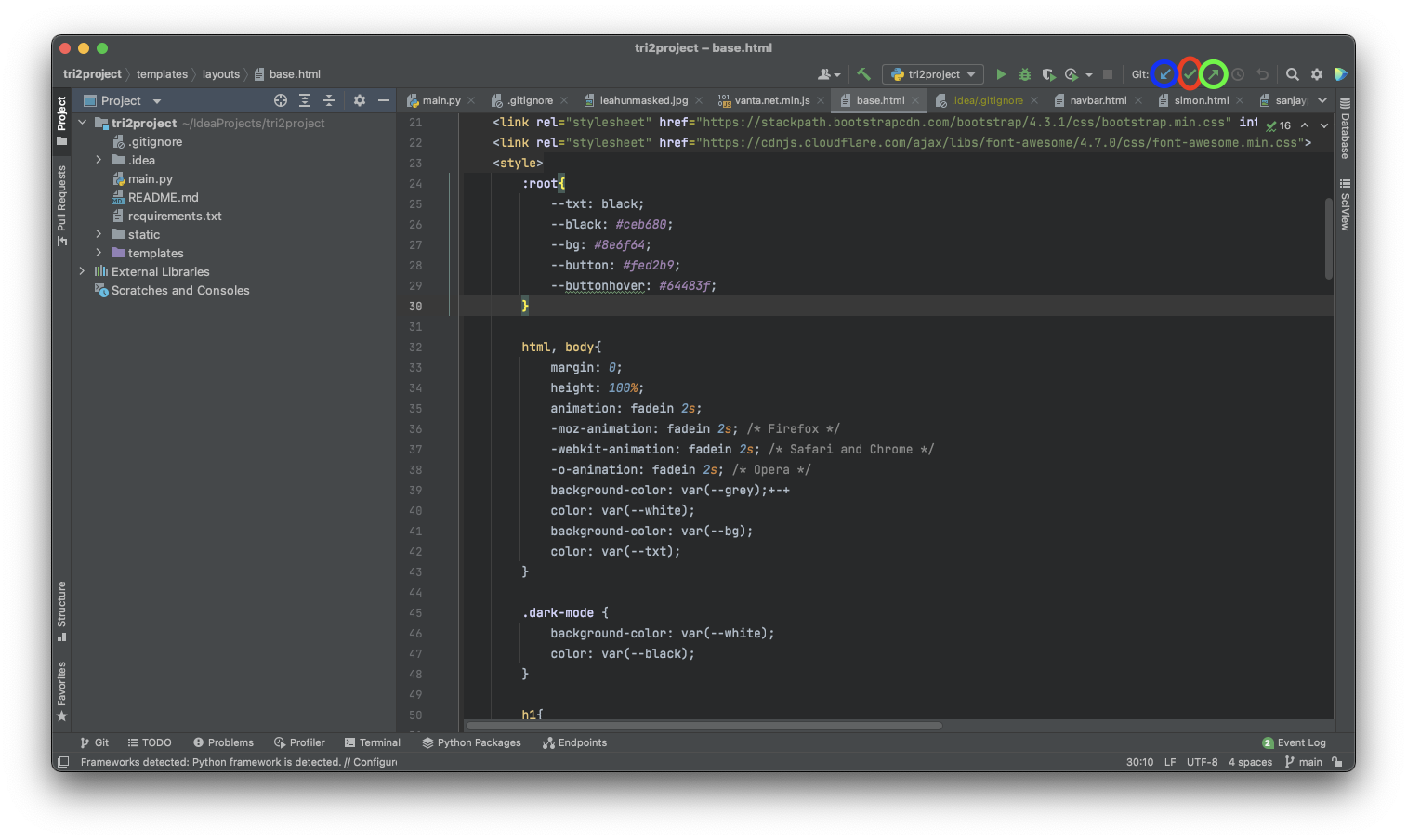 The procedure for Commiting using IntelliJ is to
- commit, using the check mark (circled red)
- pull using the blue arrow (circled blue)
- push to github using the up arrow (circled green.) Commits can also be done directly through github. These commits should be done specifically for editing markdown files or making one word changes in code.
Pull Requests and Branching
The procedure to create pull requests is complex and yet works wonderfully to avoid merge conflicts. The first item that needs to be done is to create a new branch. This can be done in IntelliJ through the git menu. IntelliJ will then allow you to work within the new branch and commit to the new branch. This will work identically to the main branch, but will be separate, so that issues that arise in the new branch do not affect the other contributors. After pushing changes to the new branch, the github repository will display a message like this:

After clicking the “Compare and Pull Request” button, you will be able to describe your changes. It is absolutely imperative that you make sure the branch being merged is this repository and not the repository it is forked off of.
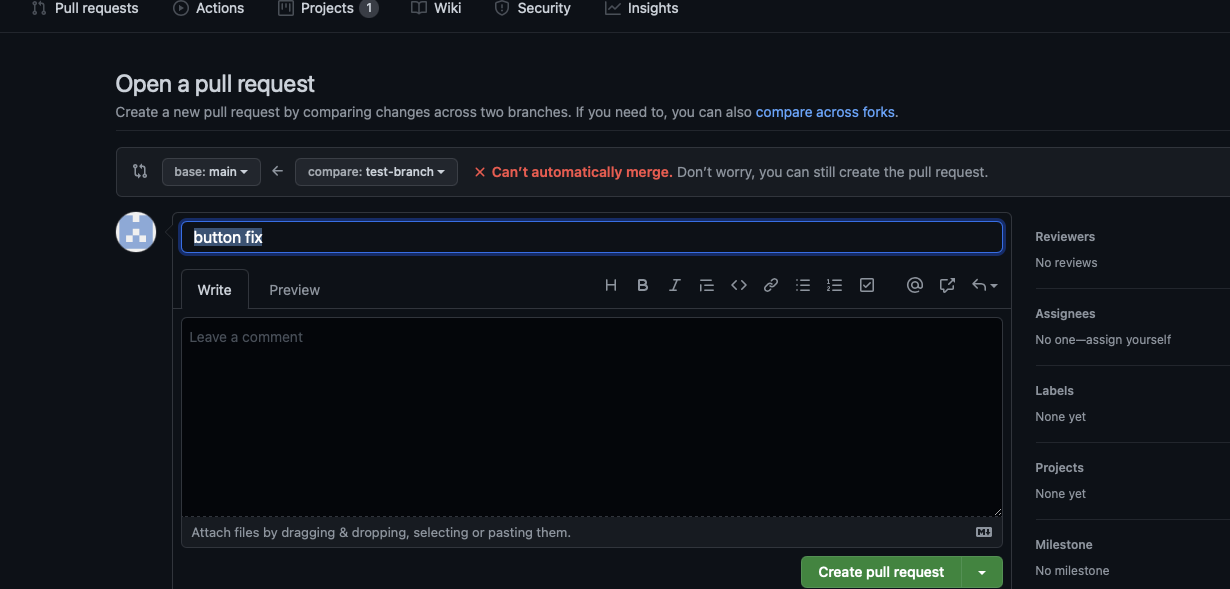
Something similar to the above photo should occur. In some cases, it will be possible to merge and the subsequent steps can be skipped, and you will be able to instantly merge. However, more often than not a merge conflict will occur due to changes made in the new branch, and they will need to be resolved. Github will prompt you to resolve the conflicts and take you to the following page:
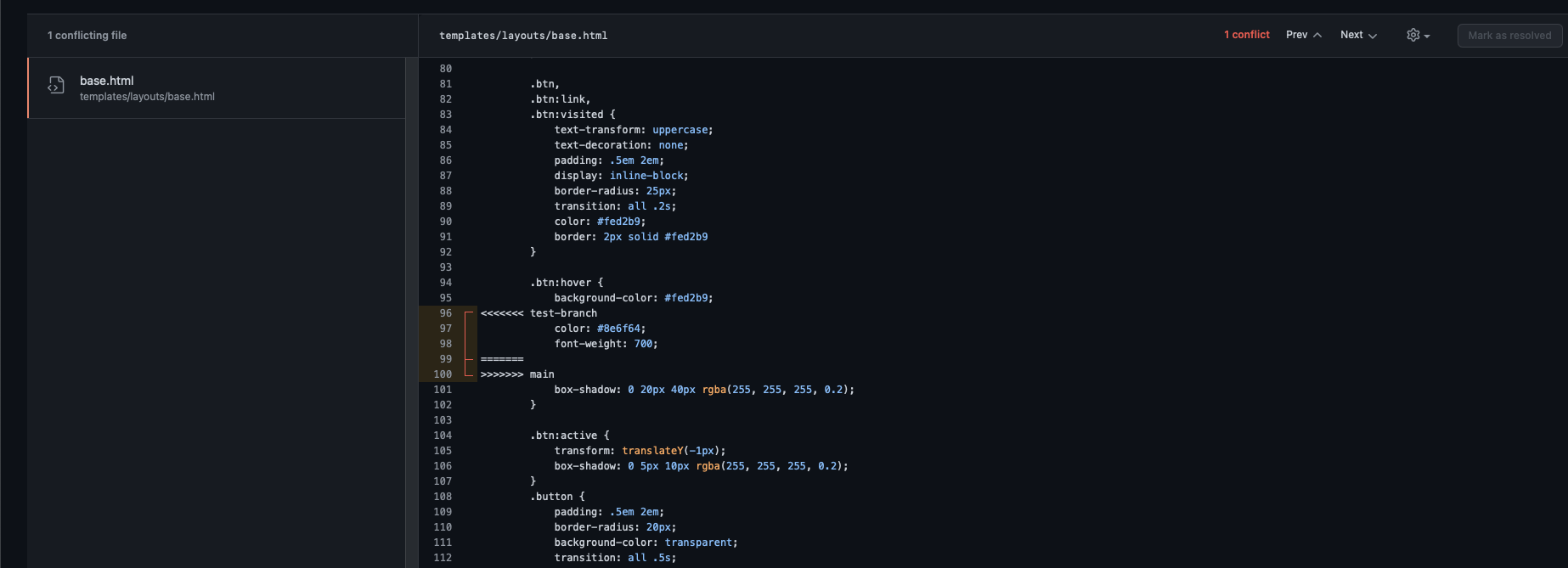 After editing the file to get rid of the conflicts, you can press the resolve button and proceed to merge the branches, and then delete the extra branch.